Showing posts with label energy efficiency. Show all posts

Wednesday, June 10, 2009

Safety First: Bike Safety for Commuters


We're back! Thanks for your patience during our move.

We’ve spent a while talking about commuting by bike, and I promised an article on bike safety and advocacy, so here it is.


You all know you need to wear a helmet, protect your eyes with sunglasses, and your skin with sunscreen, but there’s more to bike safety than that when you’re riding among cars.
  1. Signaling: Learn and use hand signals when you’re turning. Yes, they’re dorky, and yes, I hate using them—but sometimes it’s necessary. I’ve never felt the need to use the “stop” signal, however, but I suppose it’s good to know.

  2. Watching out for parked cars: They may be parked, but they’re still dangerous. You’ve probably heard about a cyclist being “doored.” That’s when someone in a parked car opens a door just as a cyclist is approaching, usually causing the cyclist (and sometimes the door) some injury. People can’t seem to understand that they need to look before getting out of a car parked on the street, and for that reason, it’s best to ride at least 3-4 feet away from parked cars. If there’s no bike lane or the shoulder’s small, this means you’ll have to take the nearest lane. And that’s totally fine. Cars can go around you if they want.

  3. Speaking of cars going around you and tight shoulders... If a car gets too close to you, don’t be afraid to give their hood/door, etc. a smack. If a car is driving close enough to you that you can touch it, it’s too close. Let them know.

  4. Watch out for the dreaded right-hook: According to the MassBike website, “A ‘right-hook’ is when a motorist makes an abrupt right turn too close to a bicyclist, causing the cyclist to crash or make an emergency maneuver to avoid crashing.” In Massachusetts, this is illegal, but whether it’s legal or not, cars will still do it. Be especially aware at intersections of cars that may be turning right and keep a safe distance in case they’re not paying attention.

Resources
What the New Bicycle Law Means for you: A Practical Guide

NYC Bicycle Safety Coalition

League of American Bicyclists
Loads of information on bike security, safety, and gear, commuting tips, and more.

Mike’s Bikes: Riding Tips
Even more information and tutorials on pretty much anything you could think of involving bikes. Awesome site, and it’s all free. The “Maintenance and Repair” section is especially helpful.

Books I Recommend (PS, If anyone can tell me how to format so that the following books don't appear vertically, please e-mail me or leave a comment.)


Tune in next week for the final article in our commuting by bike series: bike maintenance for beginners.


Safety First: Bike Safety for CommutersSocialTwist Tell-a-Friend

Wednesday, April 22, 2009

How to Commute By Bike


Image by denali2001 via Flickr


Getting started
  1. Plan your route. There are several bike route mapping websites out there.1 Or you can buy a foldout bike map; you can get one for Boston here. Planning your route is important not only so you don’t get lost but also because you should know the kind of terrain you’ll need to negotiate before you purchase a bike. If you’ll only be on smooth roads, you won’t want a mountain bike (they’re slower than road bikes). Likewise, road bikes aren’t safe off-road. Hybrids (aka "comfort" bikes) are the best of both worlds, and I highly recommend them. Most of my day-to-day rides are on decent roads, but there are some crappy roads and a few gravel paths that I’m glad to have my hybrid for. The Sports Authority website has some good info about the different bike styles.

    This is my bike. I heart it.
  2. Related to above.... choose a bike! Craigslist will get you one cheap, but you can’t be sure that it’s in great condition. I bought a shitty mountain bike super cheap off Craigslist when I first started riding because I didn’t want to spend a ton on a bike if I decided riding everywhere wasn’t for me. After a few months, though, I sold that one (again on Craigslist) and got a beautiful, new Dutch hybrid (photo coming soon) that I adore. I got my bike at a great price from BikesDirect.com—but I just checked their site and it doesn’t look like they carry the Gazelle anymore. A good bike is vital to a good riding experience, and as much as I hate to spend money, I think it’s worth it to invest in a good bike. It’s also imperative to get the right size bike for your stature. Most bike shops will do a bike “fitting” for free, even if you don’t end up buying from them. Do not, I repeat do not, buy a bike (or anything else for that matter) from Wal-mart, no matter how cheap it is; the stock they carry, at least as far as adult bikes, is notoriously low-quality.

  3. Acquire the necessary accessories. There are tons of bike accessories out there; many of them completely frivolous. These are not:

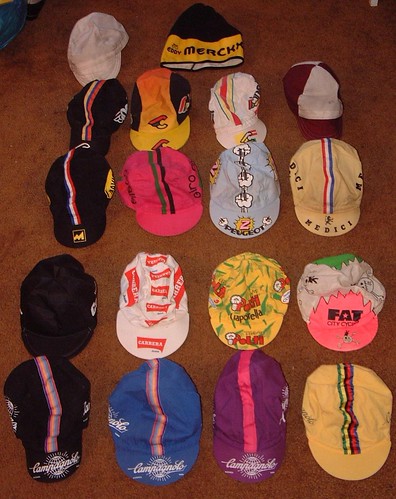
    • a good helmet –Full-coverage helmets like this one are fine, but a helmet designed especially for cyclists, like this one, is safest. Nashbar.com has nice ones for $20 or you can just get one at your local bike shop. Proper helmet fitting is more important and more complicated than you might think. Almost any bike shop will help you adjust your helmet for the best fit and comfort, no charge. Yes, cycling caps are cute and stylish, but road rash on your face and a cracked skull are not. Wear a helmet over it while you’re riding.

    • a good lock—if you’re riding in a city, you’ll want a U-lock and a cable. The U-lock is for your back tire/frame and you use the cable in conjunction with it to secure your front tire, helmet, seatpost, etc., like this or this. The less space between the U-lock and the bike, the better--it's harder for thieves to get cutters in there. Many will recommend the mini u-locks for this reason, but I've found that a lot of bike racks make it nearly impossible to use those.

      If you’re in a small town or someplace you consider super safe, you could try using just a cable lock, but you’re taking a risk. Those are obviously much easier to cut than a 1” thick steel bar. See this article on C.I.C.L.E. for more locking suggestions.

    • lights—if you’ll be riding at night, you need lights. In addition to reflectors. You need a white headlight, red taillight, and orange reflectors for your spokes and pedals. The color-coding is standard to that people can easily and quickly tell in the dark which direction you’re facing and thereby avoid smooshing you like a pancake. If you’re not going to be riding at night, reflectors will suffice. Most bikes come with sufficient reflectors.

    • travel pump—you may not ever need this, but you’ll be really glad you’re carrying it if you do. ‘Nuff said.

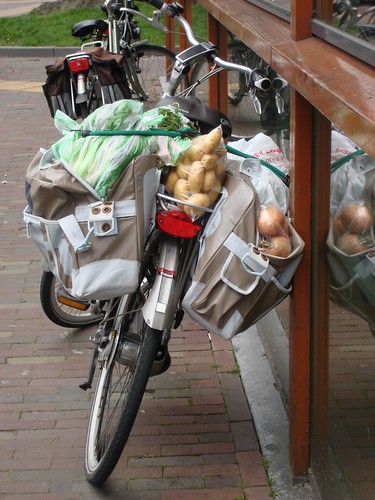
    • rear carrier, baskets, and panniers—if you’ll be carting groceries, pets, or briefcases around, you’ll want to check into acquiring some sort of carrying system.

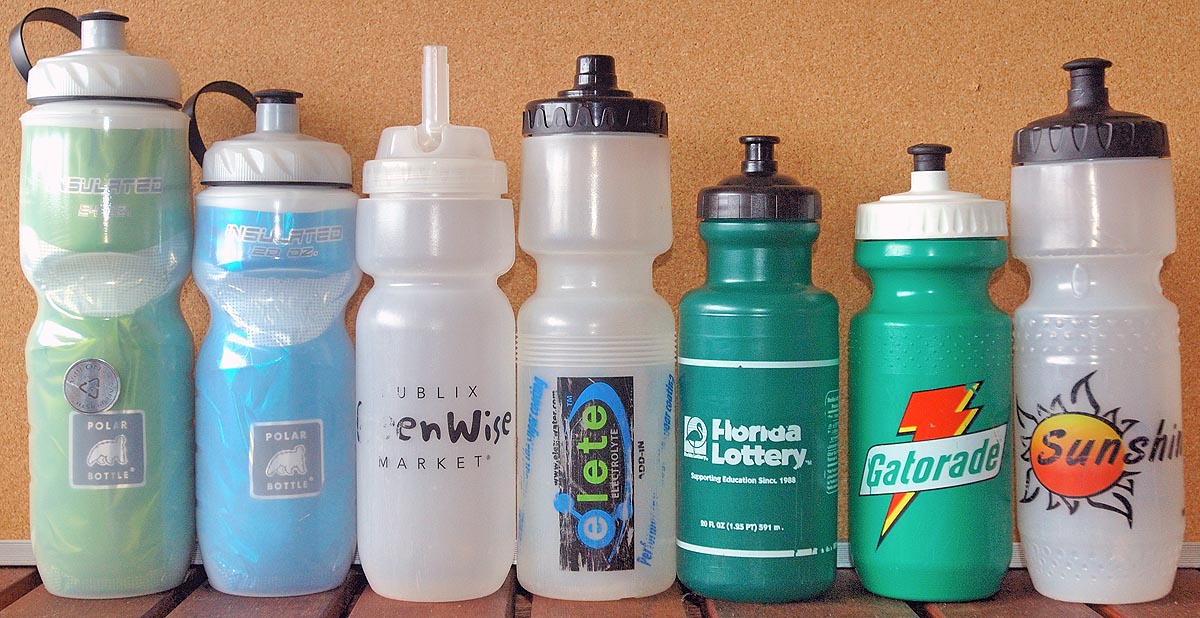
    • water bottle—You probably already have one that’ll work just fine. Stick it in your backpack, basket, or attach it to your bike with a cheap bottle cage. A word of caution: cages take up valuable lock space and often require drilling a hole in your bike frame. Consider this before buying one. If you still decide to go for it, bring your bottle when you buy it to make sure it fits.

    • If you’re game for riding in the rain, a cheap waterproof jacket and a set of fenders will make it much more comfortable. Your tires will kick up a lot of water. No fenders=soaked butt. And don’t be fooled into buying those cheap flat fenders that just attach to your seatpost. They’re useless. If you're hardcore, you might to invest in a pair of rain trousers also.

    • I’d also recommend a full-size pump for at home. It takes a lot of time and muscle to fill a new tube with a travel pump.

    • Keep in mind, a lot of this stuff can be made or improvised for little or no cost. I’ll be posting some DIY bike accessory tutorials in the coming weeks, so check back.

  4. Do a test run on a weekend and time it. This way you’ll know how long it will take you to get to work and you won’t be late. Bring a friend and a picnic and make an outing of it. Don’t forget to check for a safe place near work to lock your bike. Many companies, mine included, provide employee bike racks or garage space. Check with your boss or HR department to see if they offer anything similar. If not, suggest that they think about providing bike parking in the future.

[1] MapMyRide.com, Veloroutes.org, GMap's Pedometer, etc. For a list of city and regional maps, see BikeHacks.com


How to Commute By BikeSocialTwist Tell-a-Friend

Wednesday, January 21, 2009

Energy-Saving Money Hacks Pt. Deux


These ones are for year-round use, though. Here we go.
  1. This one is obvious, but some people don’t get it. Lights. Turn them off when you’re leaving the room (unless you’re returning in the next couple of minutes). And change your light bulbs. When the regular incandescent bulbs you have in your lamps burn out, replace them with energy-saving compact fluorescent bulbs (CFL), or even better, LED bulbs. CFLs last ten times as long as regular bulbs and are four times more efficient, but LED bulbs last ten times as long as CFLs and are three times more efficient.1 Don't worry, the days of harsh fluorescent lighting are over—both CFLs and LEDs now come in “warm white” so as not to cause headaches and eye strain. CFLs and LEDs are more expensive than incandescents, but if you do the math, they’re worth it cost-wise and definitely environmentally. See Eartheasy’s page on Energy Efficient Lighting for additional important information about each type of bulb, including how to choose the right strength. Also, be sure to read their section on proper disposal of CFLs due to their mercury content.

  2. Vampire electronics: These are home electronics like computers and peripherals, video and stereo equipment, and kitchen appliances like coffee makers and toasters that suck juice even when they’re not being used. If there’s a light on it, it’s on and using electricity. Turn them off.

    Some appliances and electronics now are made to never be completely off unless they’re unplugged. It’s hard to know which of your belongings do this and which don’t, so it’s best to use power strips. You can get a bunch of power strips inexpensively from a department or general store (even dollar stores often have them). Place them anywhere you have multiple electronics within cord distance from each other. This way, instead of going around unplugging and plugging back in each device, just get in the habit of flipping the power strip off whenever they’re not being used. Some power strips also contain surge protectors which are especially important for expensive devices as they can save them from being fried if there’s a sudden surge from lightning, downed power lines, equipment malfunction, etc.

    The biggest perpetrator of all the vamps? Chargers, namely cell phone chargers. A lot of people leave their charger plugged in all the time and just attach their cell phones when they are running low. The bad news is that even when there's no phone connected to them, most phone chargers are sucking electricity. This goes for most chargers. Don't leave them plugged in when you're not using them, and don't use them if your device doesn't really need to be charged. Unplug them as soon as they finish charging.

  3. Turn your computer off if you’ll be away for more than an hour. I recommend you set your preferences to automatically turn the monitor off and sleep the computer when it’s been inactive for 15 minutes, and hibernate/standby after 30. What's the difference between sleep and hibernate? In laptops, sleep still uses a little electricity to keep whatever you were doing in memory, but hibernate stores it instead and shuts off completely, using no electricity (unless it's charging, i.e. plugged in). In desktops, they're pretty much the same thing; they're still using some electricity.

    If you're going to be away for more than a hour, shut the computer down completely and flip off the power strip. Contrary to rumor, it does not take significantly more energy to boot up a computer than to let it run for even relatively short periods of time.2 It is also not true that turning your computer off every night (and/or day while you’re away) is bad for it. It will not damage the hard drive.3 In fact, it’ll save some life and prevent possible overheating. Plus, as we all know, restarting a computer can solve a myriad of silly software problems. It’s good for it.
    If you have peripherals you rarely use, plug them into a separate power strip from your computer that you can then leave off until you need one of your peripherals.

    If you need help activating your computer's power-saving settings, see your OS's help program or check EnergyStar's tutorial. And if you're a Mac user, Apple has a cool energy use calculator for its computers.

    By the way, screensavers don't save any energy at all; they're completely pointless for flat screens. Some of them even keep your computer from automatically sleeping.

  4. Heating water is the next expensive energy suck after home heating. Be conscious of the time you spend in the shower—it will cost you. If you take short showers, fine. But if your showers last more than ten minutes, consider taking a bath instead. It'll use less water. The absolute best thing, of course, is to take short showers and install a low-flow shower head (you can get one for around $10 if you shop around).

    Also, if your hot water heater is electric, get in the habit of turning it off before you go to bed at night or when you’ll be on vacation or otherwise away from the house. I have to say, though, if you shower in the morning and aren’t going to want to trudge down to the basement when you wake up and then wait half an hour for the water to heat up, turning it off every night is probably not the best option. However, there’s no reason not to do it while you’re away or if you shower at night. It can save you a surprising amount on your electric bill.

    Whether your water heater is electric or gas, make sure you insulate the pipes. Insulating hot water pipes prevents heat-seep and insulating cold water pipes keeps them from freezing and breaking if the temperature drops very low. For specific directions on insulating water pipes (and even water heaters), see Eartheasy’s page on energy-efficient heating.

    Laundry: Most of us were taught to use hot water for whites and tough stains, warm water for permanent press, and cold water for delicates—but that really doesn’t hold anymore. Most laundry detergents now are powerful enough to clean laundry just fine with only cold water. There are even detergents that are specially formulated for cold water, although buying these may not be necessary. If you’re unsure, do a test load in cold water with your regular detergent and see if you can tell the difference. The same goes for dishes. There’s no need to use scalding hot water; room temperature water will usually do just fine. Also, turn off the "heat dry" option on your dishwasher; instead, when it's done just crack open the door an inch or two to facilitate air drying.

    Adhering to the “fill not run” rule will almost always save a significant amount of water (and money). This rule refers to the value of filling a basin with water rather than leaving the water running while you perform a task (bathing, shaving, washing/rinsing dishes, etc.). And please, leaving the water run while you brush your teeth is just plain careless.

  5. Cooking: My mother always said that the oven loses a fifth of its heat every time you open the door, but I guess I thought it was just an old wives' tale. Well, it's not. So don't keep opening the door every five minutes to check on the food. Another quick hack: turn the oven off ten minutes before the food is done. As long as you don't open the door, the remaining heat will be sufficient for the last ten minutes of cooking time. The same goes for electric stovetops.

    Ever wonder why one of the coils on your electric range is smaller than the others? It's so you don't waste energy when cooking with a smaller pot or pan. Remember, size matters.

    If you don't need a huge fridge, don't get one. Seriously, if there are two or three people sharing a refrigerator, a regular sized one is plenty big enough. The bigger the icebox, the more space needs to be kept cold and the more energy is used to do so. Also, make sure it's not set too cold. Good fridge temps are between 35 and 38 degrees, 0 for freezers.4


[1] "Energy Efficient Lighting," Eartheasy.

[2] Green Houston, the mayor's Office of Environmental Programming website.

[3] "User Guide to Power Management for PCs and Monitors," Bruce Nordman, et al. Lawrence Berkeley National Laboratory. January 1997.

[4] "Refrigerators & Freezers for Consumers," Energy Star.


Energy-Saving Money Hacks Pt. DeuxSocialTwist Tell-a-Friend

Friday, January 16, 2009

Money Hack #1: Reduce your heating bill


It's mid-January, and where I live it's ridiculously cold. (Thank you, global climate change, i.e. meat industry1, the Big 3, huge industrial polluters, U.S. government that refuses to comply with the Kyoto Protocol....) Heating generally consumes more energy than any other source for homes, and with energy costs rising it can be a huge expense. Not to mention emission2

Here are some ways you can reduce your heating expense by conserving energy:
  1. If you have a furnace, make sure you change the filters when recommended. You can waste a lot of energy trying to pump air through dirty, clogged filters. Off-brand or generic filters work just as well and are often half as expensive.

  2. If you have radiators, line the wall(s) behind them with aluminum (sheet is best, but foil works too). This prevents the heat from absorbing into the wall and reflects it back toward the room, where it's put to better use.

  3. Windows are probably the number one source of lost heat. If your window panes have less than 2 panes, make sure you have storm windows installed. Then, check around the perimeter of the windows for air leaks. If you can't quite tell if there's a draft, light a match and hold it near the suspect area. The flame will move if there's a leak.

    Problem spots can be filled with caulk or covered with weather stripping (both found at most hardware stores), but if it's more of a problem with the whole window being shabby, you can use plastic to seal them. They make kits for this, but those get expensive if you've got multiple problem windows. You can accomplish pretty much the same thing by using a large roll of plastic wrap, some tape, and a hair dryer. Just put some heavy-duty double-sided tape around the edges of the window, and cover the whole thing with plastic wrap, making sure not to stretch it too tight, as it'll shrink a bit in the next step. Then, run your blowdryer, on its hottest setting, over the plastic until it has a shrink-wrap effect. Make sure you keep the dryer moving so as not to melt the plastic. Tape around edges with some cheap masking tape, and you're good to go.

    If you have window box air conditioners, these should be covered also. You can use the same shrink-wrap method described above, or you can just use a plastic garbage bag and tape. Make sure that both the vents and the perimeter of the A/C are covered. The plastic will stop actual drafts of air, but for added insulation, you can put an old towel, blanket, or thick shirt over the plastic. It doesn't look very pretty, but it's quick, easy, and free.

    Thick drapes are also good for insulation but expensive to buy. If you're handy with a sewing machine, there's nothing easier to make than drapes; just be sure to use the right gauge needle for the thickness of your fabric. If you can't sew, you can sometimes find cheap drapes at Goodwill or Salvation Army stores.

  4. If there are any rooms in your home that don't get used often, e.g. storage closets or spare bedrooms, keep their doors and vents closed so that you don't waste energy heating them.

  5. On outer doors, prevent drafts coming under them with a draft-stopper. Again, you can buy these or you can make them yourself. They're really easy. I used this guide and modified it by connecting two with a piece of scrap material so it provides more protection and moves with the door. Make sure you connect the two long rectangles for the stoppers with the scrap connectors before you close up the cylinders and fill them.

  6. A word about space heaters: the only time these are an economical option is when you only need to heat one or two rooms in a large house. So rather than turn on the central heat and let it heat the whole house, you might save money using just a space heater or two. On the whole, however, radiator/gas heat is cheaper than electric heat.

  7. Adjusting the thermostat: Keep it set as low as comfortable--and I mean comfortable when you're wearing a sweater. You don't need to run around in shorts and a tank top at home during the winter. In my house we keep the thermostat at 60 degrees when people are home during the day and 52 when no one's home and at night. Since we have radiators, and once they heat up they're hot for a while, it usually ends up being on average several degrees warmer than what it's set as. In general, turning down the thermostat at night can save you around 10 percent on your heating bills for the season.3 Unfortunately, we don't have a programmable thermostat, so it's pretty cold for the first person up in the morning. Good thing radiators heat up quickly. But, regardless of what my father apparently believed, turning the thermostat all the way up will NOT make the house heat up more quickly.

  8. If you have an accessible water heater, set the temperature to 120 degrees. Anything higher than this is not only spending unnecessary energy and money, but it can be dangerous.
For more about making your home energy efficient, see the U.S. Department of Energy's website "Energy Savers," which has a wealth of information about saving energy with not only heating but cooling, lighting, appliances, and even cars. Or you can download the free PDF containing all the information on the website.


[1]Land-clearing for pasture space and for crops grown solely for feeding meat-producing livestock, water pollution by way of antibiotics and hormones injected into livestock, the fertilizers and pesticides used on the feed crops, as well as the livestock's natural emissions make the meat industry one of the leading causes of human-induced climate change.

The natural methane (which has 23 times the Global Warming Potential (GWP) of CO2) and nitrous oxide (which has 296 times the GWP of CO2) produced by livestock damages the ozone more than transportation (automobiles, ships, and airplanes combined) does worldwide. See "Livestock a major threat to environment: Remedies urgently needed," 29 November 2006, Food and Agriculture Organization of the United Nations.


See also the full report by the UN FAO,
Livestock's Long Shadow: Environmental Issues and Options, 2006.

[2]"Energy Savers: Tips on saving energy and money at home," U.S. Dept. of Energy, EERE.

[3]"A Consumer's Guide to energy efficiency and renewable energy," U.S. Dept. of Energy, EERE.


Money Hack #1: Reduce your heating billSocialTwist Tell-a-Friend

Got Design?

TAiMH blog design by Belle Étoile Studios.